



 Christopher Dellen
A growth stacking approach to making customer proof work harder
You Invested In Customer Testimonials. Why Limit Them To One Webpage?
If your success stories are only living on your website, you’re leaving a lot of leverage on the table. The biggest missed opportunity? Your sales process itself.
If your success stories are only living on your website, you’re leaving a lot of leverage on the table. The biggest missed opportunity? Your sales process itself.
According to HubSpot’s 2024 State of Sales report, sales teams that leverage sales enablement content are significantly more likely to outperform their targets and see higher win rates.
Embedding proof, like video case studies, where prospective clients are paying attention, ensures sales assets show up at the precise moment they influence buying decisions.
Here are 4 places your sales enablement video could work harder for you:
- Deal stages
- Reassure buyers, especially during the proposal and decision stages
- Follow-up email sequences
- Reinforce key points and maintain momentum without adding more sales effort
- Proposal emails
- Include a relevant customer story to reinforce value after you send a proposal
- Post-demo emails
- Deliver proof right after a demo that resonates with prospects at the perfect moment
After a proposal is sent, include a customer success story to reinforce outcomes and reduce hesitation. When a deal stalls, replace a generic “just checking in” with proof that directly addresses common objections and lowers perceived risk. And when buyers are reviewing on their own time, help every stakeholder see real-world success with video evidence (no extra meetings required).
Clone Your Best Sales Conversations (Without Hiring)
There are only so many discovery calls your reps can run. Only so many demos they can deliver. Only so many follow-ups they can send.
Even with automation, your team’s attention is finite. Adding more reps can help, but it’s expensive, slow, and may introduce inconsistency.
That’s why the real leverage doesn’t come from asking your reps to do more. It comes from changing what works alongside them.
Instead of asking, “How do we get our reps to do more?” high-performing teams ask, “What can work on their behalf when they’re not in the room?”
This shift in mindset is where customer success videos start pulling their weight, IF they’re also designed to convert.

Placing customer success stories in the right spots matters, but placement alone won’t make them convert. If you want customer success videos to deliver results, they need a persuasive structure.
The video content that converts follows a simple framework:
- Define Customer Identity
Role, company type, and context. Buyers need to recognize themselves quickly. - Establish The Problem
What was broken, frustrating, or holding them back? As you interview, don’t be afraid to dive into the emotional layer. - Spotlight What Changed
Why did the client choose you, and what shifted after implementation? The prospective buyer should crave these solutions. - Offer Concrete Outcomes
Specific results are the proof that helps turn a potential customer into a current one:
- Time saved
- Revenue gained
- Risk reduced
- Stress removed
Remember to record a longer conversation, usually 10 to 15 minutes, and then edit it into an engaging 2 to 3-minute story. Let the customer know you’ll have the opportunity to edit the video and that anything they’re not comfortable with can be removed. This reassurance goes a long way in helping people relax and speak naturally, which leads to a far better story.
Tools & Resources for Creating Customer Success Videos That Convert
Customer success videos are powerful because they’re easy to create, simple to reuse, and effective across key moments in your sales process (without adding more work or cost for your team). The tools below support that flexibility, whether you’re recording remotely, asynchronously, or in person.
Recording Tools (Live & Remote)
- Zoom
Simple, familiar option for recording customer conversations. - Google Meet
Easy live recording if you’re already using Google Workspace. - Riverside
High-quality, multi-angle online recording designed for video interviews.
Asynchronous Recording
- Smartphone video (iOS or Android)
Send a few open-ended questions and let customers record responses on their own time. - Loom
Useful for quick, informal async recordings.
In-Person Recording
- On-site filming
Ideal when you’re already on location for an event, job site, or other video shoot. Often simpler than expected with minimal gear.
Video Editing Tools (Professional)
Best for teams comfortable with professional editing workflows.
Video Editing Tools (Simple & Fast)
Great for quick edits, captions, trimming, and creating clean final videos with a minimal learning curve.
Why Prospects May Forget Feature Decks But Remember Customer Testimonial Videos
You’re selling to buyers who are increasingly skeptical of marketing claims, and feature lists alone no longer move decisions.
Research published by Harvard Business Review shows that buyers are far more likely to trust peers and real-world examples than vendor messaging.
That’s where a short customer success video gives you an edge. It does several things a feature deck can’t:
- It shows a real person dealing with a real problem
- It demonstrates outcomes, not just capabilities
- It handles objections before your sales rep joins the conversation
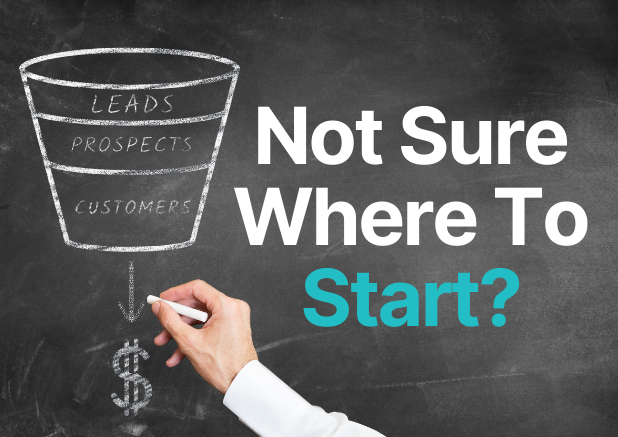
Growth stacking builds and maintains growth momentum with one small improvement, embedded into your system, compounding across every deal.
Put growth in motion with:
- One strong customer
- One clear before-and-after story
- One video deployed across multiple touchpoints
Then repeat quarterly or twice a year.
If you want help structuring that first story, mapping where it should live in your CRM, your sequences, or your sales process, contact our team at Delmar Uncommon Growth. We’ll walk you through a repeatable framework, so your customer proof closes more deals without adding more complexity.
